Basic Instructions for Installation and Execution of the Plum Hall Test Suites
- Download the installer(s), installPH.bat for Windows and/or installPH.sh for Linux distributions:
- Execute the installer.
- flags.h for C/C++ version options,
- compiler-flags.h for compiler-specfifc options and
- envsuite (envsuite.bat) to customize the execution environment.
- Change to a build directory and start a build, e.g.:
- When the builds finish, browse the html files in the build directory to view the results:
-
Coverage
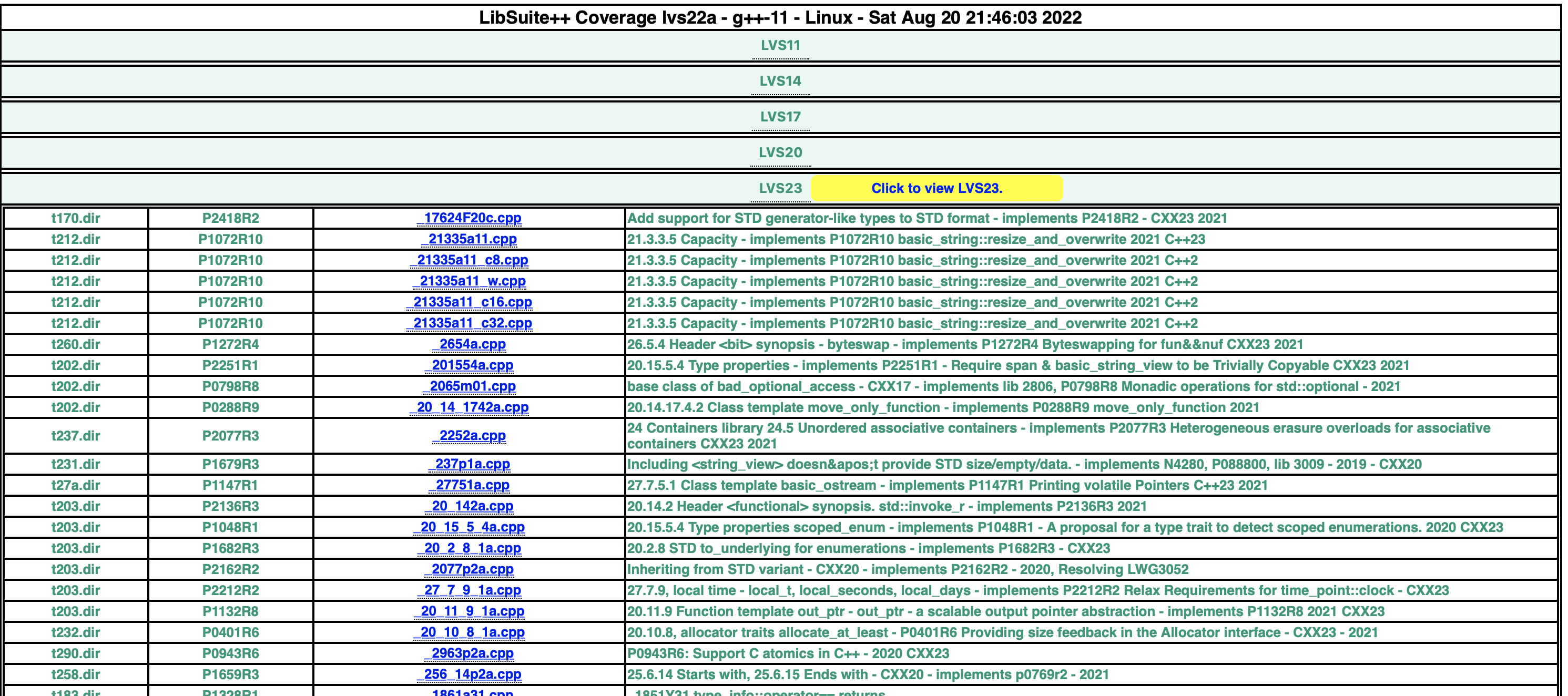
Shows for each release, the directory, the motivating paper / technical report, test case and a brief comment.
-
Commentary
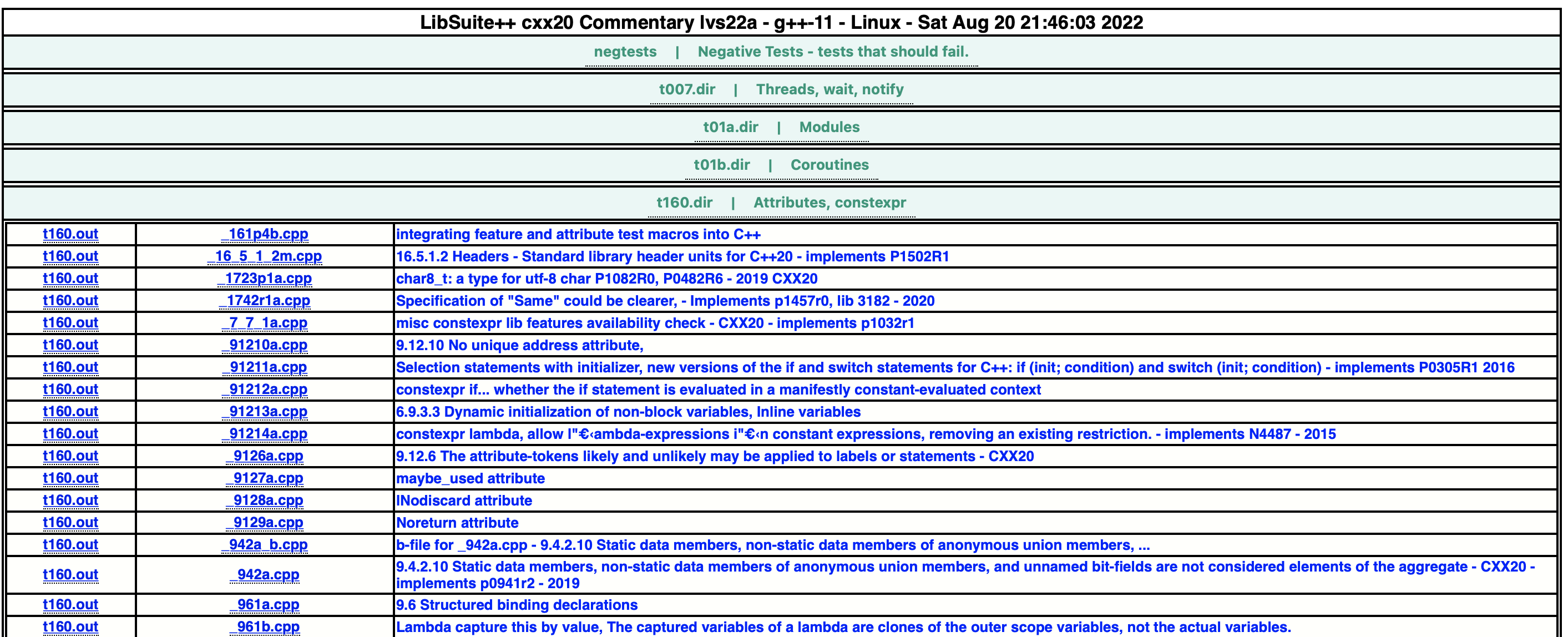
Shows for each directory of test cases, the test case number and a brief comment.
-
Conformance
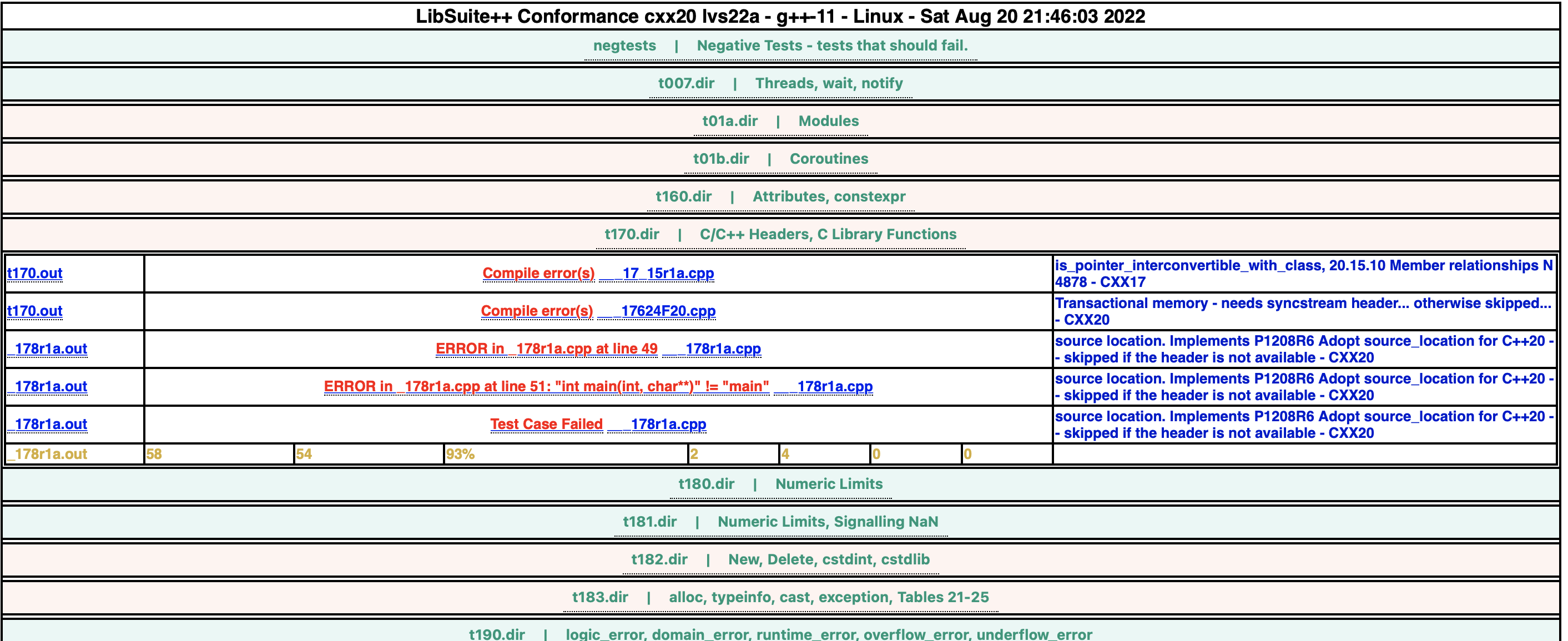
Shows for each directory of test cases, the output log, the test result if failed, with links to the test logs and a brief comment.
-
Report
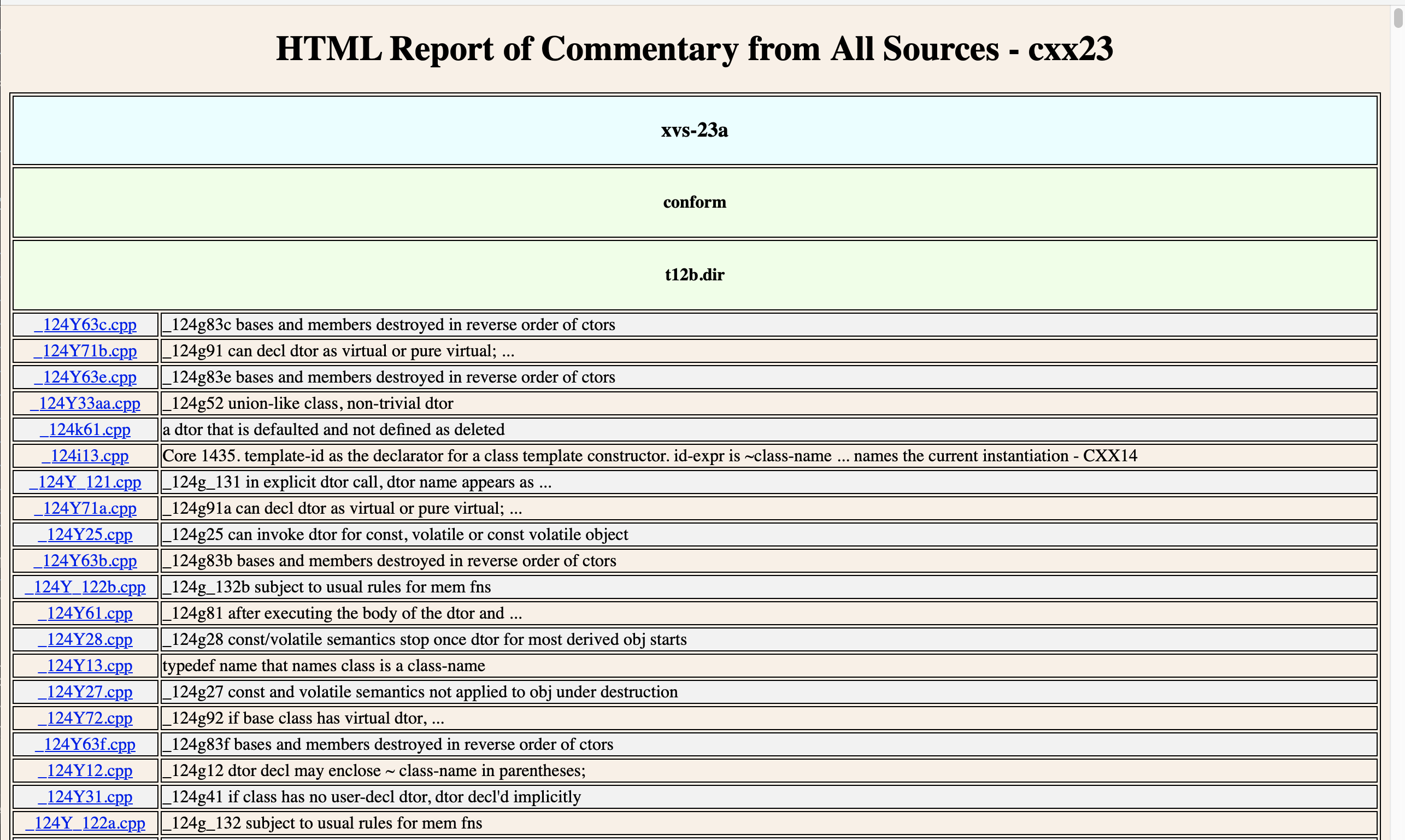
Shows commentary associated with each test.
                    ftp plumhall2b.com
                    login: <login>
                    passwd: *********
                    passive
                    get installPH.sh or get installPH.bat
                    bye
If you have trouble with the install scripts, you may enter the commands:
                ftp plumhall2b.com
                    login: <login>
                    passwd: *********
                    passive
                    get installPH.sh or get installPH.bat
                    get cvs25a-CVS002.tar.gz
                    get cvs25a-CVS002.tar.gz.md5
                    get cvs25a-CVS002.zip
                    get cvs25a-CVS002.zip.md5
                    get xvs25a-XVS002.tar.gz
                    get xvs25a-XVS002.tar.gz.md5
                    get xvs25a-XVS002.zip
                    get xvs25a-XVS002.zip.md5
                    get lvs25a-LVS002.tar.gz
                    get lvs25a-LVS002.tar.gz.md5
                    get lvs25a-LVS002.zip
                    get lvs25a-LVS002.zip.md5
                    bye
It will download your distribution(s) via ftp, create the default distribution directory structure and check the MD5 sums. Please ensure that the md5sum utility is available and verify that the MD5 sums compare. The script will ask for your plumhall2b ftp password as part of the installation process. For example, to create directories for each of the standards years C++23 and C++26, for compilers gcc and clang:
installPH.sh --stdyear=23 --stdyear=26 --compiler=gcc --compiler=clang
If you did a manual download you may then run the installer script with the option --nodownload to unpack, check the MD5 signatures and create and populate the standard directory structures. The installer extracts into a directory named ~/PlumHall/.
The default folder namimg convention is:
                    <Test Suite><PlumHall Release Year>-<Compiler Mnemonic>-c<Standards Year>/

                    e.g. lvs25a-gcc-c26/
The .zip (Windows) files are extracted with a "zip" utility, for example, shareware from www.winzip.com or www.pkzip.com. Please ensure that zip or unzip is available in your path. gzipped tar files (Linux) are extracted using the Linux utility tar.
There are three main points of customization:
Review flags.h, compiler-flags.h and envsuite(.bat). The file flags.h contains compiler settings for each of the standards releases (e.g. C17, C++23). Choose the standards version that you would like to test against. The file compiler-flags.h contains defines for common compilers. Modify these settings if your compiler is implemented in the list, our add custom settings for your compiler. Also review envsuite in detail. Some suggested settings are included for common compilers. Use these settings to create the appropriate build environment for the version of the compiler that you wish to test.
Change to a build directory and start a build, with the gcc compiler on Linux and the cl compiler on Windows as examples:
                Linux:
                cd ~/PlumHall/xvs25a-gcc-c26
                . ./envsuite cc=gcc
                buildmax

                Windows:
                cd PlumHall\xvs25a-cl-c26
                envsuite.bat
                compiler-setup.bat
                buildmax.bat

                This is a simplified example. Check full documentation in the ~/PlumHall/doc/ directory.
xvs25a envsuite:
                ##############################################################################
                #
                #
                stdyear=26         # <-- change this line to build other releases
                cstdyear=26        # <-- change this line to build other ctests
                #
                #
                ##############################################################################
xvs25a flags.h:
                /****************************************************************************/
                /*                                                                          */
                /*                                                                          */
                #define PH_CXX_VERSION PH_CXX26 /* <-- change this line - see defs.h        */
                /*                                                                          */
                /*                                                                          */
                /****************************************************************************/
compiler-flags.h (common to xvs, cvs, lvs):
                #ifdef __cplusplus
                /*************************************************************************/
                /*                                                                       */
                /*  C++ Compilers.                                                       */
                /*                                                                       */
                /*************************************************************************/

                #ifdef __clang__
                /*code specific to clang compiler*/
                #define DISALLOW_TZDB no tzdb
                #elif defined(__GNUC__) && !defined(__INTEL_COMPILER)
                /*code for GNU C compiler */
                ...

                #else /* ! __cplusplus */
                /*************************************************************************/
                /*                                                                       */
                /*  C Compilers.                                                         */
                /*                                                                       */
                /*************************************************************************/
                #ifdef __clang__
                /*code specific to clang compiler*/
                ...
                #endif
lvs25a envsuite:
                ##############################################################################
                #
                #
                stdyear=26         # <-- change this line to build other releases
                #
                #
                ##############################################################################
lvs25a flags.h:
                /****************************************************************************/
                /*                                                                          */
                /*                                                                          */
                #define PH_CXX_VERSION PH_CXX26 /* <-- change this line - see defs.h        */
                /*                                                                          */
                /*                                                                          */
                /****************************************************************************/
cvs25a envsuite:
                ###########################################################################
                #
                #
                stdyear=26         # <-- change this line to build other releases
                std=c2x            # <-- change this line to build other releases
                #
                #
                ###########################################################################
cvs25a flags.h:
                /*************************************************************************/
                /*                                                                       */
                /*                                                                       */
                #define PH_C_VERSION PH_C26 /* <-- change this line - see defs.h         */
                /*                                                                       */
                /*                                                                       */
                /*************************************************************************/
The envsuite script, compiler-flags.h and flags.h by default have support for gcc, g++-11, cl.exe, EDG and clang-10. More edits will be neccessary to test other compiler configurations.
Linux using gcc:
                    cd ~/PlumHall/xvs25a-gcc-c26
                    ./save-setup.sh
                    . ./envsuite cc=g++-latest
                    buildmax

                    cd ~/PlumHall/lvs25a-gcc-c26
                    ./save-setup.sh
                    . ./envsuite cc=g++-latest
                    buildmax

                    cd ~/PlumHall/cvs25a-gcc-c26
                    ./save-setup.sh
                    . ./envsuite cc=gcc-latest
                    buildmax
Windows, using the Windows compiler cl.exe:
                    cd PlumHall\xvs25a-cl-c26
                    setup-msvc.bat
                    save-setup.bat
                    envsuite.bat
                    setup-msvc.bat
                    buildmax.bat

                    cd PlumHall\lvs25a-cl-c26
                    setup-msvc.bat
                    save-setup.bat
                    envsuite.bat
                    setup-msvc.bat
                    buildmax.bat

                    cd PlumHall\cvs25a-cl-c26
                    setup-msvc.bat
                    save-setup.bat
                    envsuite.bat
                    setup-msvc.bat
                    buildmax.bat
                    coverage-cvs25a.html
                    commentary-c26.html
                    commentary-ctests-c26.html
                    conform-c26.html
                    conform-ctests-c26.html
                    report-cvs25a.html

                    coverage-xvs25a.html
                    commentary-ctests-cxx26.html
                    commentary-cxx26.html
                    conform-ctests-cxx26.html
                    conform-cxx26.html
                    report-xvs25a.html

                    coverage-lvs25a.html
                    commentary-cxx26-lib.html
                    conform-cxx26-lib.html
                    report-lvs25a.html